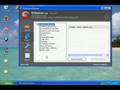
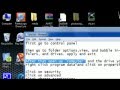
So we're going to show you how to effectively Repair Windows XP below!
One of the best features of Windows XP is the built in repair feature!
In previous versions of Windows, repairing an operating system error usually meant formatting and reinstalling the whole operating system, resulting in loss of all of your precious data. The Windows XP repair feature won't delete your data, already installed programs, personal information or Windows settings. It just repairs the operating system...
Note: The system repair function will remove any updates you have previously installed that are not included on the CD. Any windows Drivers will also be reverted to their original XP versions, as well as some settings (network & performance settings may sometimes be reset to their defaults). It may be necessary to reactivate your Windows XP as well. When finished, you will have to download all of the updates from Microsoft Windows Update, because they are all replaced during repair.
Why would you ever want to reinstall Windows XP?
1. Can't start Windows XP in safe mode.
2. You have problems caused by a recently installed system update (Windows Update, hotfix, Windows XP service pack, or Microsoft Internet Explorer update).
3. Your problems can't be solved with system restore, or you can't access system restore.
4. You've installed a new motherboard, or made other major hardware changes and need to reinstall Windows.
Of course, if you are just trying to resolve Windows XP errors and problems, and want to save yourself some MAJOR time and effort...
Repair Windows XP Installation: Step-by-step:
1: Make certain there are no known hardware issues. Windows Repair will ONLY fix software problems. Hardware issues can also cause boot problems (i.e. bad hard drive, memory, CPU, or power supply).
2: Make Sure & Backup Your Data. It's always a good idea to backup your important data before making changes to Windows XP. Don't worry, if you follow these instructions your data will be secure and there for you when the windows xp repair is completed.
3: Boot from your Windows XP CD. Insert the Windows XP CD into your computer's CD-ROM or DVD-ROM drive, and then restart your computer. When the "Press any key to boot from CD" message appears on the screen, press a key to start your computer from the Windows XP CD.
4: A blue screen will appear and begin loading Windows XP Setup from the CD.
Note: RAID/SCSI/Unsupported UDMA users:
You will be prompted to "press F6 to install any third party SCSI or RAID drivers". Most users will not have to press F6, but if you are running RAID, SCSI or unsupported UDMA controllers, then you will have to have your controller drivers on a floppy disk. If you are unsure whether you have RAID/SCSI, then simply let the CD load without pressing F6.
When completed loading files, you will be presented with the following "Windows Setup" screen, and your first option. Select "To set up Windows XP now, press ENTER". DO NOT select Recovery Console.
When presented with the End User License agreement screen. press the F8 key to continue.
Next, Windows Setup will find existing Windows XP installations. You will be asked to repair an existing XP installation, or install a fresh copy of Windows XP.
If no installations are found, then you will not be given the option to repair. This may happen if the data or partition on your drive is too corrupted.
Note: If you install a fresh copy, all data on that partition will be lost!
You are almost through! Windows XP will look like it is installing itself for the first time, but it will keep and remember all of your data and settings. Just follow the prompts, and have your CD-KEY ready if needed.
WARNING: Due to the proliferation of the Welchia, Blaster and other Worm/Viruses that are prevlanet online...be aware that a Repair Install will leave your system vulnerable. You can get infected within seconds.
Do not go on line until you have enabled XP's firewall first, and make sure and download and run the free and effective XoftSPySE Spyware remover & blocker on your PC..It is one of the best we've tested!
Don't forget to run Windows Update! (install critical updates first)