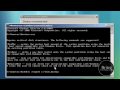
If you have an older computer that tests the memory every time you boot and goes through multiple startup screens there is a way to eliminate that. Restart your computer and enter the bios. Look for boot options and enable quick boot. This will enable you to skip all the unnecessary startup screens and other sequences.
Not all PCs have that option. Next you will want to look at your antivirus program. Going to the options menu and make sure it is not scanning every time you start your computer. If it is disable this option, this can really slow down your boot time.
You'll also want to do a general cleaning up your hard drive. You can do that by selecting your hard drive and running the disk cleanup. You can also remove any old programs that you no longer use, the less software your PC has to load, the faster it will be. Next you will want to eliminate any startup programs that you do not absolutely need. The problem is Windows XP made this difficult. There really is no easy way to do it. You can download a third-party program like tweak UI. Or most registry repair programs will enable you to remove startup programs safely.
Next you will want to do a full virus scan and also a scan for spyware and ad aware. If you haven't performed maintenance on your computer for a while you might be shocked at what it finds. All of the above suggestions may help, but in most cases, the biggest problem for slow boot is a corrupted or damaged Registry. You will need a good registry repair program to fix it.
Your computer's registry contains all the files and settings that your software needs to reference every time it loads. Over time, from uninstalling and installing software your registry collects a lot of orphaned files. These need to be cleaned or repaired. Improper shutdowns, viruses, crashes, improper uninstalls, or spyware will cause your registry to become corrupt or bloated over time.
When you boot your computer, the startup sequence refers to the registry to load software. It may be looking at a corrupted files and software that is no longer working or on your computer. In most cases this is the reason why Windows XP boots
so slow. You should perform regular maintenance on your registry to keep it fully optimized. Doing so is like giving your computer or a tuneup. You will be amazed at the increased performance and speed up your computer.