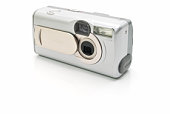
The LCD screen takes up the most power. It is possible to turn this feature off unless you really feel the need for it. Using the camera's viewfinder will conserve power. Another big power drain is the flash.
Whenever you can, use natural lighting to take your photos and turn off the flash. This will help save your battery for times when you absolutely need the flash. A third drain on your battery is constantly using your zoom. It takes more power zooming in and out than it does keeping your zoom at a steady place. Try to find a setting you like and sticking with it as much as possible.
Some other things you can do to make your battery last longer are::
* Make sure Power Saving mode is on, or simply switch off your camera when you're not using it.
*In cold weather, keep your camera and batteries warm in your jacket until you are ready to use them. The cold drains batteries very quickly.
*Store batteries in a cool, dry location away from sunlight and other heat sources.
*Avoid unnecessary playback of your already taken images. Try to decide when you take the picture if it is a ?keeper? or needs deleted and then refrain from reviewing until the pictures are downloaded to your computer.
*Use the AC adapter. Most digital cameras have an adapter that allows you to plug directly into a power point. If you don't plan on moving around a lot and are near an outlet, the AC adapter will increase the life of your batteries.
Needing to buy more or recharge your battery is something you won't be able to avoid completely, but with a few precautions this won't be needed as often.
Battery For Digital Cameras
Millions of people have fallen in love with their digital camera; and for good reason. They are compact making them easy to tote along anywhere a person may wander, they are capable of producing images of outstanding quality which can easily be shared online with others anywhere in the world, and with digital storage, they are a space saving wonder. In addition, digital cameras allow users to save the expense of film and developing. But perhaps the greatest attraction of these cameras is the control they provide over the images one creates during the editing process.
Unfortunately, most of those who love digital cameras have also come to know their dark side; their thirst for power. From the first touch of the button to power a digital camera on, setting the focus, shutter speed, zooming, and providing a flash for image capture, to reviewing images taken and editing, these cameras are energy junkies.
The good news is that there are things that can be done to help to make it easier to live with power craving cameras and to curb their appetite. Certainly, having a camera with rechargeable batteries is by far the best option and charging the battery per manufacturer's guidelines can help sustain optimal functioning. For the people who love their digital camera, there are also steps that can be taken in the way they use it to help reduce the rate of power consumption.
?When finished shooting, remove the batteries from the camera if it will not be used for another 2 or 3 weeks. This will prevent a trickling discharge that can occur when left in the camera.
?Use the on/off function appropriately. Certainly a digital camera should not be left on for any extended period of time as the energy is wasted. However, if another shot will be taken within a few minutes it is better to leave the camera on as it consumes a great deal of energy to power on/off. If the camera has a sleep mode, it is best to set the timer for that function to the shortest interval in case the user forgets to turn the camera off.
?Disable or don't use features that aren't needed. Zoom for instance uses a great deal of power. If the same result can easily be achieved by simply moving the subject or stepping closer, do that instead. Use of the flash function is also energy intensive. Flash should be used only when it will be effective. For instance, if lighting is already sufficient or the subject is out of flash range anyway, don't use the flash function.
?When possible use the viewfinder to set up a shot as the LCD screen consumes a great deal of battery power. Use of the LCD screen can improve some shots such as in the case of close-up/macro photography but in most instances use of the viewfinder is sufficient. (Remember, photographers operated without LCD screens for most of the history of photography!)
?Use other power sources when appropriate. For instance use an AC adapter when downloading images and use the computer for review and image deletion rather than performing such functions directly on the camera.
?Do things manually when feasible. From powering the camera off to focusing; auto anything takes more power.
?Some experts indicate that some types of media storage consume more energy as well. For instance, Compact Flash is said to be a more energy conscious form of storage than MicroDrive Media.
Certainly, the many features offered on a digital camera are convenient and desirable. Users merely need to be aware of the tremendous demands placed on the camera battery by these same features. Understanding this allows a digital camera owner to make a choice between ease of use and conservation of the battery.
Both Dave Deane & Christine Peppler are contributors for EditorialToday. The above articles have been edited for relevancy and timeliness. All write-ups, reviews, tips and guides published by EditorialToday.com and its partners or affiliates are for informational purposes only. They should not be used for any legal or any other type of advice. We do not endorse any author, contributor, writer or article posted by our team.
Dave Deane has sinced written about articles on various topics from Tropical Fish, Digital Camera and Family. To find out all you need to know about Digital Cameras, Digital Photographs, and more great articles then please visit:Digital Photographs Submitted by:. Dave Deane's top article generates over 33100 views. Bookmark Dave Deane to your Favourites.