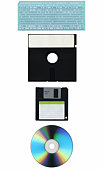
Hard drives are an essential feature of any computer or laptop. They act as primary storage devices because of their huge capacities as well as random data access. The commonly available hard disks have capacities ranging from 80 GB to a whopping 1 TB. Hard disks are not a new technology. They were invented about half a century ago. But until now, no other device has been able to match them in terms of performance, capacity and cost.
Though hard disks are built as rugged as possible by their manufacturers, there is always a possibility of their crash. In this, the read / write head that is hovering just above the rapidly spinning platters comes crashing down on the data-recording surface, thus leading to data loss. This is a very serious situation that requires the disk to be taken to a professional data-recovery company for repairs or extraction of data.
Optical Disks
Optical disks are currently the standard removable data storage media used by computer users. The disks are quite thin and can easily fit over your palm. They are made of tough polycarbonate plastic that is very hard to destroy. The disks are used in tandem with an optical drive that has a read / write head. The latter emits a laser that actually records the data on the disks by etching a pattern of pits in a circular groove. The groove begins from the finger hole in the centre of the disk and goes around in a tight circle, working its way toward the edges.
Optical disks are of two types: CDs and DVDs. The former were the earliest optical drives to be introduced in the market. These are currently amongst the cheapest storage media available in the market and can store a whopping 700 MB of data. Some years ago, the latest version of optical disks was introduced. The DVDs have a staggering storage capacity of about 4.6 GB. They can easily hold a full-fledged Hollywood movie. Though optical disks can safely store your data for up to ten years, their data-recording surface is exposed to the elements. Care has to be taken to protect it from surface contaminants such as dust, stains and scratches.
Tape Drives
Tape drives are based on a very old but tried and trusted technology. They work the same way as audio cassettes are used to record music. Tape drive systems have two parts ? the drive and cassettes. The latter comprise of a long but thin and narrow length of tape wound around a couple of spools. The entire assembly resides inside a tough plastic case that protects the tape from dust and damage.
The drive has a stationary read-and-write head carrying an electromagnet. The tape moves forward or backward brushing past the head as data gets written or modified. Tape drives can have capacities of anywhere from 80 GB to 500 GB. Their only drawback is that they offer sequential data access, unlike hard drives which offer random access. However, tape drives are ideal for long-term archival storage of data due to their low cost.
USB Drives
Universal Serial Bus (USB) drives are the latest technology to be introduced in the data storage market. These drives have some phenomenal advantages over other media. They are quite small in size, so much so that they are also referred to as key chain or thumb drives. They have no moving parts. Data is stored electronically, not magnetically, on a circuit board that is built around flash memory.
USB drives use very less energy compared to a hard disk or optical disk drive. This makes large-capacity USB drives an ideal replacement for laptop hard disks where conserving battery power is a priority. These drives are independent devices which do not need a separate assembly built into the computer. You just plug them directly into the USB port and they are ready for action. Unlike hard disks, USB drives are totally immune to strong magnetic fields. They are enclosed within a strong plastic case, and thus can withstand impact trauma much better.
This is a very promising technology that is already being touted as a replacement for computer hard drives in the near future. The only problem is that USB drives are currently somewhat expensive. But as the technology matures and prices drop with mass production, they will emerge as a very potent threat for the hard drive industry.
Digital Camera Storage Media
When you stop and think about it, it's amazing how much of a company's profitability is tied up in its archived information. 99.9% of the time, the right bit of critical information is there when we need it so we tend to take data storage for granted. Like anything else, digital preservation media such as magnetic tape media and optical disks have a finite lifespan. But ultimately, it is the way in which you protect and care for your digital media that determines how long the data will keep its integrity. In this article we'll discuss ways to care for your various data storage media to increase its lifespan.
Tape Media
Tape media is one of the first forms of digital data storage and is still heavily used today. One of the reasons why tape media is so popular, aside from its dependability, is that that tape media is a mature media. Unlike the newest fad in digital storage media like the mini disk, devices that read tape media will most likely still be prevalent years down the road.
Before recording on new tape media, it's best to send it through a full forward and rewind cycle for the purpose of equalizing the tape tension. In order to keep the tension retained while in storage, archived tapes should be put through a full forward and rewind cycle every year or two. When handling tape media, it's essential that the magnetic tape always remain encased and never touched. Not only is the tape in jeopardy of being torn or stretched, but oils on the skin can destroy the stored data over time.
As for storage tape media, optical disks, or solid state media, it's critical that the media be stored in its correct case. Tape media cases are designed to protect the tape media from harm by magnetic fields. When possible, choose archival quality cases for tape media that are designed in such a way that they don't emit chemicals over time that could damage the tape media. Even if these archival cases cost a bit more, they're well worth the few extra cents.
Optical disks
The top layer of the underside of an optical disk is where the data is stored which is why it's so important only to touch optical disks on the outer side edges. Optical disk cases are designed to prevent scratches and should remain in their cases at all times. Preferably, cases should be made of heavy plastic and disks should never be stored in a paper sleeve alone.
If you do need to clean optical disks, use only optical disk cleaning solution and a lint-free cloth. Never wipe in a circular motion around the circumference of the disk. Instead wipe the cloth across the disk from the center hole to the outer edge. Take care with the label side of the disk as well. Only use a soft-tip marker with water soluble inks and never write on the disk with a ball point pen or a fine tipped marker.
Both tape media and optical disks should be stored in cool, dry environments that are free of smoke and protected against insects. Temperature, humidity, and other environmental factors must be rigidly controlled. The temperature in your storage room should be between 60 and 68 degrees and humidity maintained between 35% and 45%. Still, even with proper care, digital storage media doesn't last forever. The life expectancy for tape media is around 20 years and about 10 for optical disk. To be safe and to keep your data in the best shape possible, you should recopy tape media every 10 year and optical disks about every 5 years.
Both Jameswalsh & Christine Harrell are contributors for EditorialToday. The above articles have been edited for relevancy and timeliness. All write-ups, reviews, tips and guides published by EditorialToday.com and its partners or affiliates are for informational purposes only. They should not be used for any legal or any other type of advice. We do not endorse any author, contributor, writer or article posted by our team.
Jameswalsh has sinced written about articles on various topics from Divorce and Infidelity, Data Recovery and Acne Treatment. James Walsh is a freelance writer and copy editor. If you are concerned about data loss and would like more information on Data Recovery see. Jameswalsh's top article generates over 60500 views. Bookmark Jameswalsh to your Favourites.
Christine Harrell has sinced written about articles on various topics from Mortgage, Careers and Job Hunting and Personal Desktop. Author is a writer for Sunstar CO. who specialize in datastorage and disk backup solutions. For more information you can visit. Christine Harrell's top article generates over 550000 views. Bookmark Christine Harrell to your Favourites.
Chronic Fatigue Syndrome Pain As this system provides a natural way to heal the injuries, the popularity of soft laser therapy is increasing with the turn of each single day