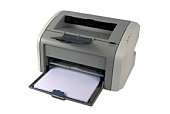
Laser printers offer a plethora of options, and it can be hard to tell which one offers both a good purchase price and good value running costs over the longer term.
First up, let us establish your needs so you can go in search of a printer with appropriate features:
Home user
1) Occasional, low-volume printing of forms, school projects, letters
2) Low up-front cost more important than ongoing running costs due to the small volumes being printed
3) colour printing useful for newsletters and photos but only if affordable!
Small business user
1) Regular printing of invoices, letters, etc
2) Ongoing running costs more important than initial upfront cost
3) Inbuilt fax and copying capability may be a bonus
4) Ability to connect directly to a network a must so printer can be easily shared between multiple users
5) Colour printing may be useful for printing of promotional documents
Academic/student
1) Frequent printing of long reference documents
2) Direct PC connection via USB probably OK, but network connectivity an advantage
3) Colour printing probably not necessary
Laser printers provide better quality than ink-jet printers, but are more expensive. Keep in mind print quality, speed, reliability and price when deciding which printer to buy.
The following points will help you take a decision on buying the right laser printer:
1) Decide what types of documents you will be printing (text, graphics, odd paper sizes, etc.).
2) Make a list of specific features you need, such as the ability to handle large files, the ability to print on various media (labels, envelopes) with-out jamming, a size to fit a particular desk space, two or more paper trays, and compatibility with specific software.
3) Compare the print quality of different printers. Compare the resolution, or dpi (dots per inch). Use a magnifying glass if print quality is critical.
4) Compare speed specifications. Although you probably won't get the rated speed at home, the ratings are useful for comparing printers.
5) Learn how much RAM the printers have, and whether it's expandable.
6) Realize that the printer's paper path needs to be no sharper than 90 degrees to consistently handle envelopes, labels, transparencies or card stock. If you plan to use special media often, avoid printers with 180- degree U-turn paper paths.
7) Compare prices of consumable items such as toner cartridges and replacement drums.
8) Compare warranties and service contracts.
Buy A Laser Printer
You may be needing printers at home or at the office. A laser printer is a good choice but you have to be very particular in buying. There are some reminders you need to consider when buying laser printers. First you need to decide what type of documents you will be printing more often. Think whether you are printing more on text, graphics or large paper sizes and more. This is important because printers have different jobs and specialties in printing documents.
If you are going to use printers for tough printing, you need to buy a durable printer that will not wear out easily. You need to make a list of the specific features that you need and expect in your printers. This will include the ability of handling large files and the ability to print on different types of media such as envelopes and labels without jamming. Take note of the size of your desk. The desk space will determine the size of printer that you will buy.
The compatibility of the printer with specific software is also necessary to consider. You can compare the print quality of the various printers you are choosing from. To do this, you can compare the resolution which is in dots per inch. You can even use a magnifying glass to compare the different print outputs if you may want to. This will help you observe keenly the differences of the prints. Magnifying the prints will let you determine which prints are accurate and those that are not.
Speed specification is also important especially if you are printing a lot of pages in a day. If you are printing hundreds of pages, will you be patient enough to wait for long hours to wait till it gets done? Of course not, so go for the printer that can print speedily. You can ask printer shop owners in order to be familiarized with the speed of the printer. You should also ask about the RAM of the printer and find out if it is expandable. Expandable can be compared to flexibility because your printer should be ready for upgrades or updates. It should be suitable for different types of software and programs to print.
Now, all you have to do is to keep these reminders in mind if you are going to buy a printer. Make sure that the printer you have chosen can handle the entire job that you need.
Both Kishor Nayak & Carmelo Diaz are contributors for EditorialToday. The above articles have been edited for relevancy and timeliness. All write-ups, reviews, tips and guides published by EditorialToday.com and its partners or affiliates are for informational purposes only. They should not be used for any legal or any other type of advice. We do not endorse any author, contributor, writer or article posted by our team.
Kishor Nayak has sinced written about articles on various topics from computers and the internet, Brochures and Personal Desktop. Kishor Nayak is a Business Consultant working with International clients.When you have bought a new printer , visit: . Kishor Nayak's top article generates over 4400 views. Bookmark Kishor Nayak to your Favourites.
Ameriplan Work At Home As in online data entry, most paid e-mails and surveys will come through an intermediary, so you will most likely be charged a joining fee