

Similar Videos

|
|

Other folks have older computers that might have had a reasonable amount of memory installed at the time of purchase, but struggle to keep up with the memory requirements of modern applications. Installing additional memory is a relatively inexpensive way to boost performance in old and new computers alike.
If your computer is 2-3 years old and it is running somewhat slow, then it's worth considering purchasing a memory upgrade before lashing out on a new computer. The majority of people I talk to about computer memory upgrades (especially those with a computer over 2 years old) are surprised at the increase in overall performance after installing a memory upgrade. Typically it can extend the useable life of the average computer by another 2-3 years, at a mere fraction of the cost of buying a new one.
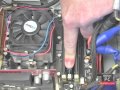
Installing a memory upgrade is usually a simple process, requiring at most a phillips screwdriver to either undo the memory hatch on your notebook, or to remove the case if you have a desktop pc. Once you have access to the memory slots, it's just a simple matter of pushing the memory module into the spare slot firmly, closing the hatch or putting the case back on, putting the screw back in, and rebooting the computer.
It can be a more complicated exercise if your memory slots are fully populated, but a competent memory supplier should be able to provide you with advice on the upgrade options available and whether or not you will need to remove one or more of the existing modules to make room for larger ones.
The question a lot of people ask me when considering buying a memory upgrade is "What size memory upgrade should I buy?"
I usually answer this with a question: "Tell me about the sort of things you use your computer for?"
Generally speaking I recommend you install 512mb if you are running Windows XP on your computer. Microsoft say that the minimum is far less, but it really is the minimum in my opinion. 512Mb of installed memory will give you enough room for Windows XP to load, and a little spare for a couple of web browser windows, an email client, antivirus application, and a spreadsheet or word processor.
If you run OSX or a flavour of Linux, I still recommend 512mb as a minimum.
If you only have the generally accepted minimum of 256mb, this is barely enough to load Windows XP. As you start up other applications, your pc will begin to allocate "virtual" memory. This means that a section of your computers hard drive is used for moving around data in the same way that physical memory is used, only it goes a lot slower.
If you do photo editing in addition to the basics, think about going up to 1GB of installed memory. If you are a home video buff or play a lot of computer games, then 2GB is really going to keep you productive. (Is gaming productive?).
Memory upgrades are available from many different sources, and made by a lot of different manufacturers. Kingston are probably the best known manufacturer, and they make modules for most of the top OEM's, who rebrand Kingston memory as their own.
Before purchasing a RAM upgrade, be sure to ask if the memory is guaranteed to be compatible with your PC or laptop, and is backed by a no-quibble return policy. Always make sure a lifetime warranty applies as well.
So if you or your kids are complaining about their latest computer game running too slow, consider that you might not need to buy a new computer even if it is a couple of years old, but simply upgrade the one you have with some more memory. It can make a world of difference, and make your computing investment last a lot longer.
Next Paragraph..
EditorialToday IT Hardwares has 2 sub sections. Such as Computer Guide and Hardware. With over 20,000 authors and writers, we are a well known online resource and editorial services site in United Kingdom, Canada & America . Here, we cover all the major topics from self help guide to A Guide to Business, Guide to Finance, Ideas for Marketing, Legal Guide, Lettre De Motivation, Guide to Insurance, Guide to Health, Guide to Medical, Military Service, Guide to Women, Pet Guide, Politics and Policy , Guide to Technology, The Travel Guide, Information on Cars, Entertainment Guide, Family Guide to, Hobbies and Interests, Quality Home Improvement, Arts & Humanities and many more.